
Healing Ringtones
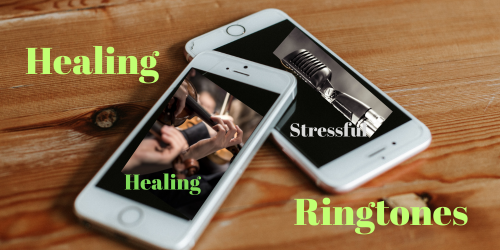
I have always thought that receiving phone calls on a mobile phone is stressful, because the ringtones are tuned to 440 Hz and the "music" of those tones is commercial, like that used in advertisements. Whoever hears the phone ring gets tense.
That's why I had the idea of creating "healing ringtones", tuned to 432 Hz, for those who are interested in using them and making the experience of receiving calls more pleasant and relaxed.
I am offering 2 Healing Ringtones, to start with:
1) The "Majestic Ringtone", made with my orchestral composition "Renaissance", in 432 Hz.
2) The "Cool Ringtone", made with my song "Traveling By Road", in 432 Hz.
You can download them for FREE or pay something as donation. This is the "pay what you want" formula. The important thing is that you use them and benefit from them.
You can download both ringtones here
Choose the mp3 format for Android cell phones and the m4r format for Apple iPhones. Note: for iPhones you need to download the ringtone first to your computer and then transfer the file from your computer to your iPhone.
Here is how to transfer the ringtone to your iPHONE:
1. Download the ringtone to your computer. .
2. Using Finder (For macOS 10.15 Catalina and later), connect your iPhone to your MacBook using a USB cable..
3. Open Finder and locate your iPhone under "Locations" in the sidebar..
4. Click on your iPhone and navigate to the General tab..
5. Drag and drop the .m4r file into the General tab area. This will automatically transfer the ringtone to your iPhone..
For ANDROID PHONES, it is easier, you can download it directly to your phone.
1. Download the mp3 ringtone to your Android phone. .
2. Open the Settings app.
3. Go to Sound & vibration..
4. Hit Phone ringtone.
5. Go to My Sounds.
6. If your ringtone doesn't show up, hit the + button in the bottom-right corner.
Find the song and select it.
7. Hit Save.
1. Download the ringtone to your computer. .
2. Using Finder (For macOS 10.15 Catalina and later), connect your iPhone to your MacBook using a USB cable..
3. Open Finder and locate your iPhone under "Locations" in the sidebar..
4. Click on your iPhone and navigate to the General tab..
5. Drag and drop the .m4r file into the General tab area. This will automatically transfer the ringtone to your iPhone..
For ANDROID PHONES, it is easier, you can download it directly to your phone.
1. Download the mp3 ringtone to your Android phone. .
2. Open the Settings app.
3. Go to Sound & vibration..
4. Hit Phone ringtone.
5. Go to My Sounds.
6. If your ringtone doesn't show up, hit the + button in the bottom-right corner.
Find the song and select it.
7. Hit Save.